Show Milliseconds in Video or Audio Timing in MPC HC. How to show in Milliseconds in Video or Audio Timing with MPC HC
How to change VLC video timer to show in Hours: Minute: Seconds. Milliseconds
How to Use MPC HC to show time in Hour:Minute:Seconds.Milliseconds
Milliseconds might be required to get a specify or specified part of an audio or video file. It is also used while creating subtitles or editing a video or audio.
This tutorial will guide you on how to Show Milliseconds in Video or Audio Timing in MPC HC.
1) Open the video or audio you want to show your timing in the form of Hour:Minute:Seconds.Milliseconds (that is video you need to show milliseconds).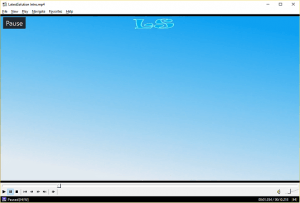
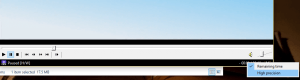
3) Below is a sample of MPC HC showing milliseconds in its timing.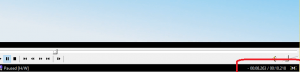
Hope with this, you have been to learnt How to Show Milliseconds in Video or Audio Timing in MPC HC.
Please share and like below, also comment below for any problem encountered. Thanks
Thanks, you save me dude
You are welcome Sir
Brilliant mate! Thanks for sharing!
You are welcome sir
Thamk you very much – much easier than VLC Player plugin, etc.
Thanks Sir, better than one with VLC Plugin
Thanks, very useful for amateur editing over e-mail 😀
Thanks