MPC HC Keyboard Shortcut or Hotkeys Every user need to know. List of MPC HC Keyboard Shortcut or Hotkeys
MPC-HC
It stands for Media Player Classic Home Cinema, it is a great lightweight video player that supports almost all video format and codecs.
Price: Free
In order to check out all the keyboard shortcut and hotkeys present in the MPC HC (Media Player Classic Home Cinema). Please follow the following instructions below:
How to Check All MPC HC Keyboard Shorcut
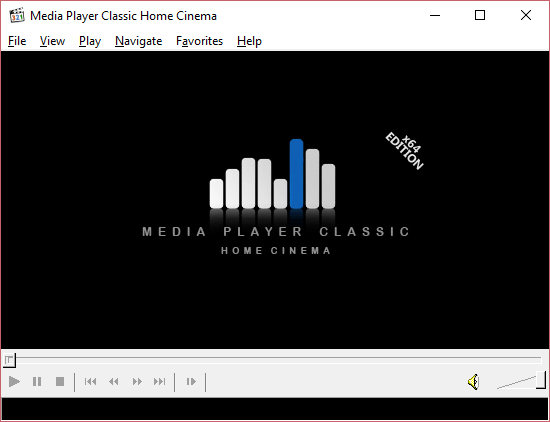
1) Launch MPC HC (Media Player Classic Home Cinema).
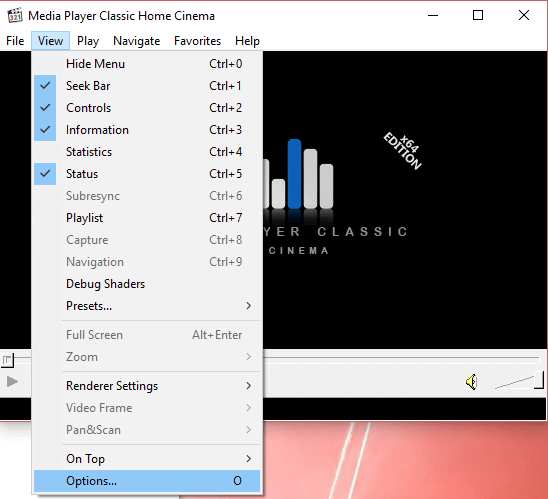
2) Press O on your keyboard to go to Options OR go to the Menu bar, Click on View and then click on Options.
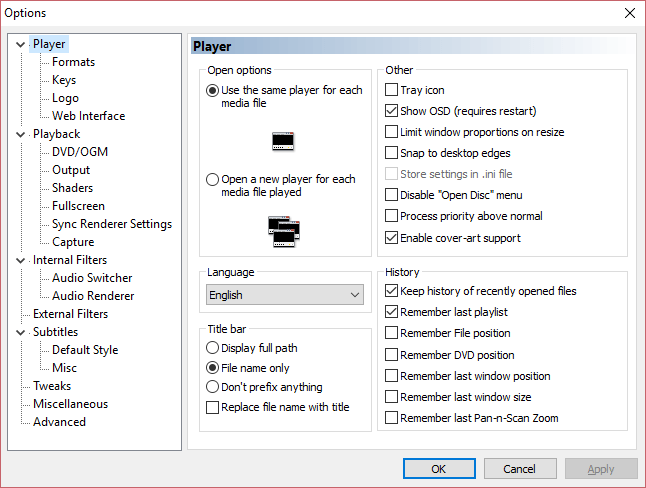
3) A window will open, named MPC HC Options.
4) On the left hand corner, check down, you will see Keys, Click on it and this interface will appear.
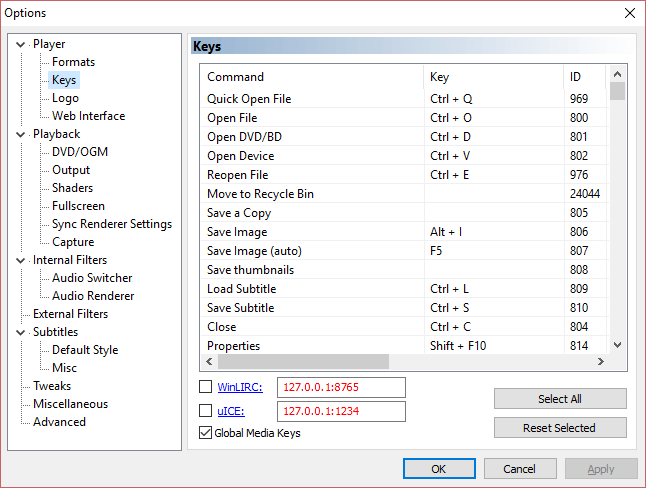
5) The window that appear has all the list of keyboard shortcut and hotkeys available for the MPC HC (Media Player Classic Home Cinema). You could also create your personalized keyboard shortcut and hotkeys by selecting or clicking on the keyboard shortcut you want to Change, then click on Reset selected.
Below are some of the top keyboard shortcut or hotkeys one should know and keep using with MPC HC (Media Player Classic Home Cinema):
List of Top MPC HC Keyboard Shortcuts
S/N KEYBOARD SHORCUT FUNCTION
1) Space Bar
Play/Pause
2) Right arrow
Jump forward (medium)
3) Left Arrow
Jump backward (medium)
4) Alt + Enter
Full screen
5) Up arrow
Volume up
6) Down arrow
Volume down
7) Ctrl + M
Volume Mute
8) O
Options
9) D
Download Subtitles
10) F1
Subtitle Delay –
11) F2
Subtitle Delay +
12) Alt + X
Exit
13) Ctrl + L
Load subtitle
14) Ctrl + Right Arrow
Frame step forward
15) Ctrl + left Arrow
Frame step Back
16) Shift + Right Arrow
Jump forward (keyframe)
17) Shift +Left Arrow
Jump backward (keyframe)
18) 3
Normal View
19) Ctrl + A
Always on top
20) Alt + Page down
Shift subtitle left
21) Alt + Page up
Shift subtitle right
Hope with this, you have been able to use the MPC HC (Media Player Classic Home Cinema) more efficiently, effectively and faster.
Comment Below, to tell us which keyboard shortcut or hotkey to be added to the list. Thanks
Rotate is the most important MPC shortcut of all ! Get it on !
Thanks Rojara, You could check more MPC HC tutorial on this site. Enjoy them.
We also have some on the Daum PotPlayer, Please do check them out
If not for this post I would never have switched to MPC. Previously a PotPlayer fan, I was getting irritated with the decreasing usability and user-friendliness with each update. Earlier when I checked out MPC I was disappointed as I saw no way to tweak it. I had no idea ‘Options’ was under ‘View’ of all places !!
I am totally into MPC now – please keep up the good work ! Is no one working on it anymore ?
Thanks MPC HC keyboard short. Please with tutorial on syncing.