How to automatically capture or grab a file or a link with Internet Download Manager (IDM
To automatically capture or grab a file or download or link with Internet Download Manager (IDM). Please follow the steps or procedures listed below:
1) Launch the internet download manager.
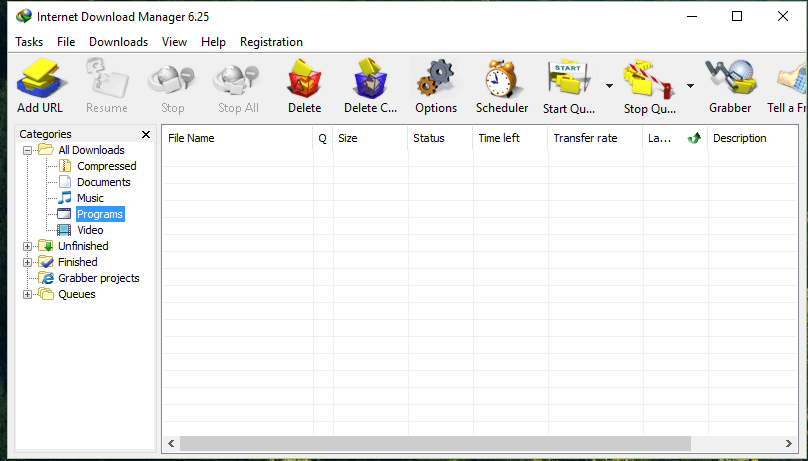
2) Click on Options, and a Window Internet Download Manager Configuration will open
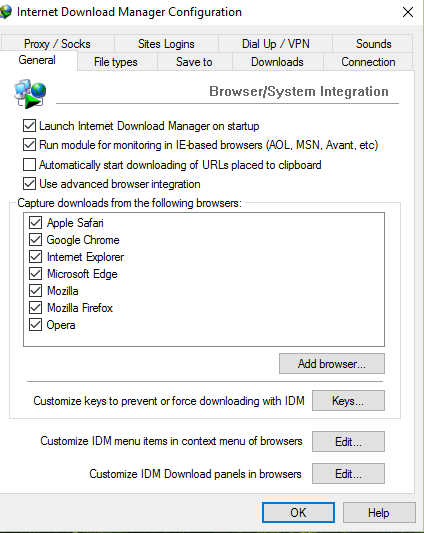
3) Make sure this three options are checked, Run module for monitoring IE based browsers, automatically start downloading of URLs placed to clipboard and use advanced browser integration.
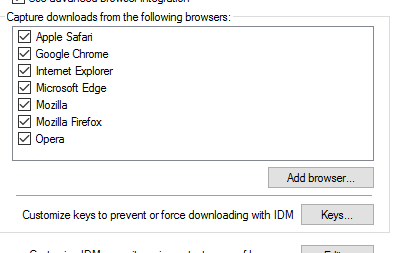
 4) Then next make sure your browser is checked in the capture downloads from the following browsers or you could add the executable of the browser in the program file by clicking on Add Browser.
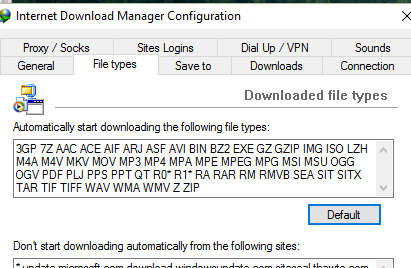
5) Next to the top menu and click on File Types, make sure all file types you want IDM to grab are written within the box.
6) Click on OK
 Please share and like below. Also comment below for any problem faced or encountered.
idm