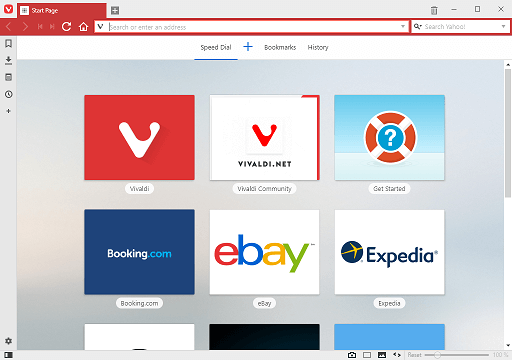
How to change proxy settings on Vivaldi Browser. Use a Proxy server with Vivaldi Web Browser.To change the proxy settings on Vivaldi Browser, Please follow the instruction listed below:
1) Launch the Vivaldi browser.
2) On the top left hand corner, Click on the Vivaldi Browser V symbol, then Click on Tools, then Click on Settings or press Alt + P on your Keyboard 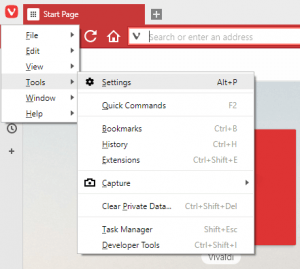
3) The Settings Window will open, on the left hand menu, Click on Network 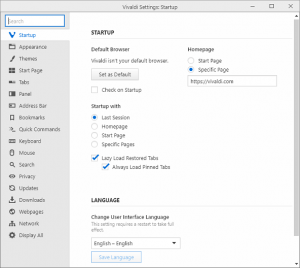
4) On the right hand tab, you will see Proxies, Click on Proxy Settings.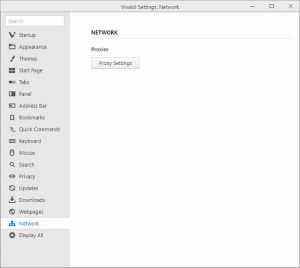
5) The internet properties window will open on your computer, it is set to Connections
6) To Change the proxy settings for a LAN Network, Click on LAN Settings, select use proxy server for LAN
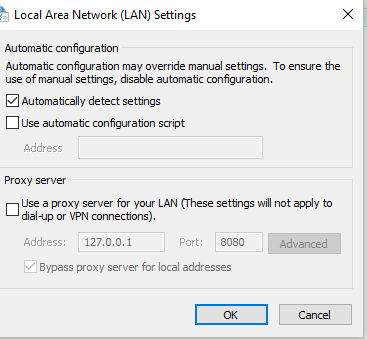
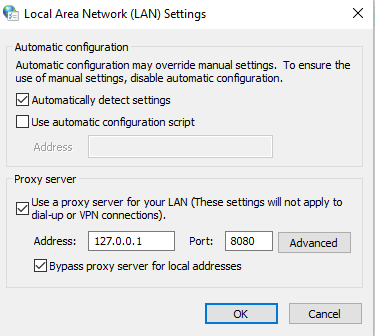
8) To Change the proxy settings for a Dial Up or Virtual Private Network (VPN), Select the VPN or Dial Name in the Box or Add it and Click Settings.
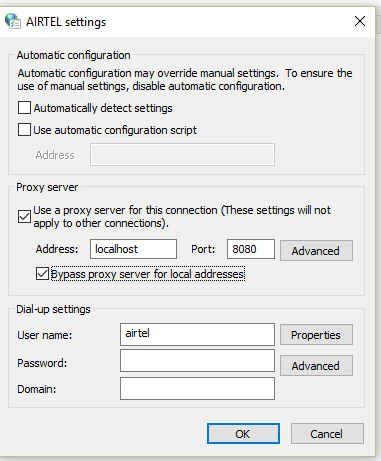
9) Select use proxy server for this connection.
10) Enter the IP address and Port Number, enter username and password, if available and Click on Ok
Hope with this, you have been able to learn How to enable Do Not Track (DNT) feature on Vivaldi Browser on your Computer System.
Please share and like below, also comment below for any problem encountered. Thanks
How to change proxy settings on Vivaldi Browser