

How to Block Access Bank USSD (Stolen or Missing Phone). How to Deactivate USSD Profile on Access Bank.
How to Block the Phone You use For USSD operation (Access Bank) Using USSD. How to Block Access Bank USSD Using USSD.
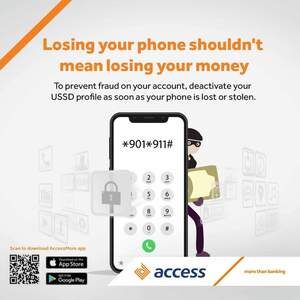

Reasons to Block a Phone From USSD Operation
- If the Phone is stolen
- If the Phone card is missing
- If the Phone is been used by another for a transaction not originating from you.
- The guide below will assist you to block your Access Bank USSD Phone Number.
Method 1
1. Dial *901*911# on any phone and follow these easy steps:
2. Dial *901*911#
3. Select Option 2 (Block Account)
4. Select ‘Self’ or ‘Third party’ for others
5. Enter the phone number linked to the account
6. Select the Account you want to block
7. Enter your USSD PIN
Method 2
1. Dial *901# and select Other Services:
2. Select Option 9 (Opt Out)
3. Select Block Account
4. Select ‘Self’ or ‘Third party’ for others
5. Enter the phone number linked to the account (s)
5. Select the Account you want to block
6. Enter your USSD PIN
A successful request notification will display on your phone screen once you complete this correctly, and your account(s) would be instantly blocked.
Block Access Bank ATM Card Using USSD
Dial *901*11# from any phone number, you will be required to provide the phone number you used in registering the Account and your USSD (901) PIN.
This will block the usage of USSD on your Phone
Also Check Out
Access Bank USSD Code (*901#) Transaction
Buy airtime and recharge your phone from Access Bank account Using USSD
How to check Access Bank account Balance Using USSD (Get Statement of Account)
Access Bank Transfer Code (How to Transfer Money Using USSD)
Hope with this you were able to learn How to Block Access Bank USSD (Stolen or Missing Phone) Using USSD.
Please share and like below, also comment below for any problem encountered or faced.