


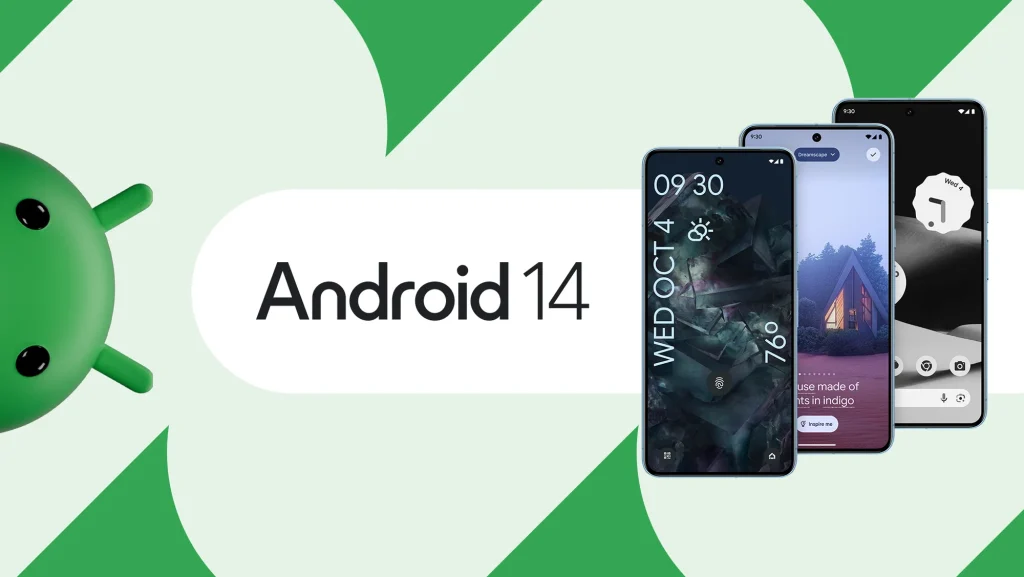
As we embrace the brisk winds of October 2023, Android enthusiasts are in for a treat with the much-anticipated release of Android 14. What started as a developer preview in February has evolved into a comprehensive update, fine-tuning stability and addressing user-centric improvements. Whether you’re a seasoned Android aficionado or a curious onlooker from the Apple camp, Android 14 packs a punch with a slew of exciting features. In this guide, we unravel the best offerings from Android 14, exploring the enhancements that promise to redefine your smartphone experience.
1. Photo Picker
Android 14 introduces Photo Picker, a privacy game-changer. In the past, apps had a free pass to your entire photo collection, raising privacy issues. Now, with Photo Picker, you take back control. This smart feature lets you handpick which photos an app can access, keeping your personal moments safe.
Apps like WhatsApp and Telegram are already on board with Photo Picker, using its seamless integration. No more worries about apps having unrestricted access to your pics. Android 14 makes it simple: just adjust permissions from “Allow all the time” to “Ask every time.” Photo Picker isn’t just a feature; it’s your guard, ensuring your memories stay private.
2. Super Customisation
Android 14 takes customization to the next level, leaving iOS in the dust. The new emoji wallpaper feature lets you turn your favorite emojis into a personalized wallpaper. Choose a color palette, adjust the pattern, and voilà – your unique wallpaper is ready.
But that’s not all. Exclusive to the Pixel 8 series, the AI wallpaper feature goes beyond. Type in prompts like subjects and styles, and witness the AI generate one-of-a-kind creations. For a cinematic touch, the new wallpaper feature uses AI wizardry to infuse your photos with 3D motion effects, responding dynamically as you tilt your phone.
Pixel phone users get an extra treat: the potential to customize the “At a Glance” widget on their home screens. Although still in the experimental phase, Android 14’s QPR2 beta hints at hidden flags that could make this widget customizable, a feature long-awaited by many. Android 14 turns your device into a canvas of personal expression.
3. Bigger Fonts
Android 14 brings customization to a whole new level, catering to users who love tweaking their visual experience. Font enthusiasts will rejoice as Android 14 supports font sizes up to a generous 200%, a significant leap from the previous 130%. What makes it even smarter is its non-linear approach – preventing already large text from becoming comically oversized.
The accessibility game is strong too which we also talk about below. Picture this: camera flash notifications. Now, your phone’s LED flash grabs your attention for incoming notifications, a nifty feature for the hard of hearing or anyone keen on staying alert. Android 14 doesn’t just offer customization; it’s a thoughtful upgrade, making your visual and notification preferences seamlessly tailored to your liking.


4. Notification Flashes
Android 14 introduces a thoughtful feature that caters to the realities of our noisy, on-the-go lives – Notification Flashes. Perfect for those checking phones in bustling environments or for individuals with hearing impairments, this feature ensures you never miss an alert. Activating it is a breeze: head to Settings -> Display -> Flash notifications, then toggle on Camera Flash and/or Screen Flash.
Delving into customization, Android 14 goes a step further with Screen Flashes. Now, you not only decide to enable it but also get to pick from a range of colors. Want a sneak peek before committing? No problem. Android 14 lets you preview your chosen color, ensuring your notifications catch your eye in the most visually pleasing way. It’s these thoughtful touches that make Android 14 a user-friendly upgrade, recognizing and addressing the diverse needs of its users.
5. Camera Upgrades
Android 14 elevates your photography experience with noteworthy camera upgrades. A standout feature is the support for high-quality Ultra HDR images, ensuring vibrant and detailed photos. But that’s not all – low-light photography gets a boost on compatible devices, delivering better performance in challenging lighting conditions.
In-sensor zooming steals the spotlight, offering a game-changer for supported devices. Say goodbye to the typical grainy mess that digital-only zoom brings – now you can zoom in closer to subjects while maintaining clarity and sharpness.
Adding practicality to the mix, Android 14 introduces a new document scanner feature. Perfect for those on the go, this feature simplifies digitizing documents like expense receipts. With these camera improvements, Android 14 isn’t just an operating system; it’s your partner in capturing moments with enhanced clarity and functionality.
6. Health Connect Support
Android 14 introduces a seamless Health Connect support, streamlining the way you manage and share your fitness data. This built-in feature serves as a central hub for storing your health metrics, including heart rate, steps, and calories burned, simplifying the process of sharing across various apps.
The beauty lies in its simplicity. Third-party apps can now request your health data directly from Health Connect, offering a one-stop solution for data management. Worried about privacy? Android 14 encrypts all your health metrics right on your phone, ensuring your data remains secure.
Previously a standalone app, Health Connect now takes center stage in Android 14, integrated directly into the OS. Easily accessible under Settings > Privacy on your Pixel phone, it exemplifies the user-centric approach, making health data management a breeze in the Android 14 experience.


7. Older Apps No Longer Supported
Android 14 brings a significant shift by bidding farewell to older apps, specifically those designed for Android 5.1 Lollipop APIs and earlier. This change, aimed at bolstering security and privacy, blocks the installation of apps that don’t leverage modern protections.
The rationale behind this move is simple: older API levels often become targets for malware due to their lack of contemporary security features. While this adjustment means saying goodbye to many abandoned apps, such as vintage games and niche applications, there’s a silver lining. Existing devices upgrading to Android 14 will retain these older apps, providing some consolation.
However, for devices launching with Android 14 right off the bat, the landscape changes. It marks a pragmatic step forward, ensuring a more secure and up-to-date app ecosystem, even if it bids adieu to some nostalgic digital companions.
8. Data Sharing Update
Android 14 introduces a simple yet vital update in the realm of data sharing. Picture this: you install an app on Monday, agree to its terms and privacy policies, and go about your day. The twist? On Tuesday, the app decides to tweak its policies. In the pre-Android 14 era, you’d remain oblivious unless the company reached out directly.
Enter Android 14’s game-changer – a user-friendly pop-up. Now, if an app alters its terms, you receive a clear notification, keeping you in the loop about any changes. It’s a straightforward but impactful improvement, ensuring transparency and putting you in control of your data. With Android 14, staying informed about app policy changes becomes as easy as a pop-up notification, empowering users in their digital journey.
9. Better PIN Privacy
Android 14 brings a subtle but impactful enhancement to PIN privacy in your phone settings. Now, you have the power to disable animations when entering your PIN, making it more challenging for prying eyes – those “shoulder surfers” – to spy and memorize your code. This seemingly small adjustment could be the crucial barrier preventing unauthorized access to your device. Notably, this PIN animation-off feature is turned off by default, giving users the choice to activate it.
Moreover, Android 14 streamlines the unlocking process by eliminating the need to hit an “OK” button after entering your PIN, a boon for those with PINs of six digits or more. This improvement not only simplifies the unlocking experience but also adds an extra layer of convenience and efficiency to your daily interactions with your device.
10. Better Battery Life
Android 14 comes bearing a gift for your daily hustle – better battery life without compromising performance or resorting to a dim display. Google’s engineers have worked their magic, focusing on behind-the-scenes enhancements in efficiency, particularly for background tasks and hefty file downloads. The result? Subtle but valuable gains, granting you a bit more time untethered from the charging cable.
No dramatic promises or superfluous claims, just a thoughtful refinement to extend your handset’s endurance. It’s those minor yet meaningful strides in efficiency that make Android 14 a companion for the long haul. So, whether you’re navigating a busy day or unwinding with your favorite apps, you can rely on your device to keep pace without constantly seeking refuge near a power outlet. Android 14, ensuring your phone stays powered up for what matters most.
In Conclusion…
As we draw the curtains on our exploration of Android 14, it’s clear that beneath the unassuming surface lies a powerhouse of improvements. From privacy-oriented changes to nuanced efficiency upgrades, Android 14 caters to both the discerning Android veteran and those taking their first steps into this digital realm. As the OS begins its over-the-air journey to various devices, it brings forth not just incremental tweaks but a myriad of internal changes shaping a more refined Android experience. So, whether you’re eagerly awaiting the update or still contemplating the switch, Android 14 marks a significant chapter in the ever-evolving world of mobile operating systems.